See rims on your car before you buy them
Wheels are the most expensive guess in modding. Upload one clear photo of your car, choose the mods, and BuildMyWhip renders them onto your photo in about half a minute. It's your car, in your driveway, at your angle. Pick a style, colour and size, or upload a photo of the exact wheel you're eyeing and it's fitted to your car at the right scale and angle.
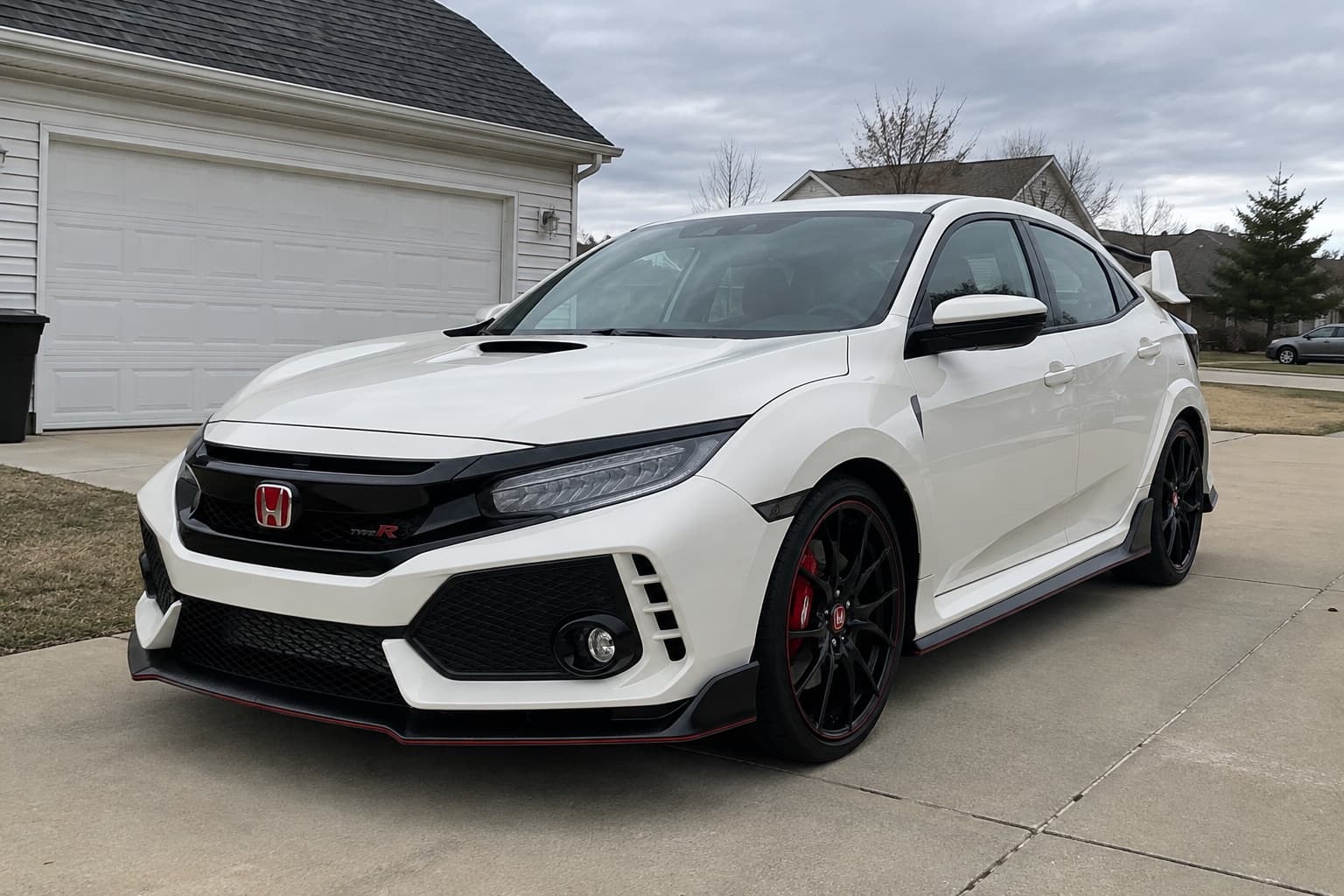
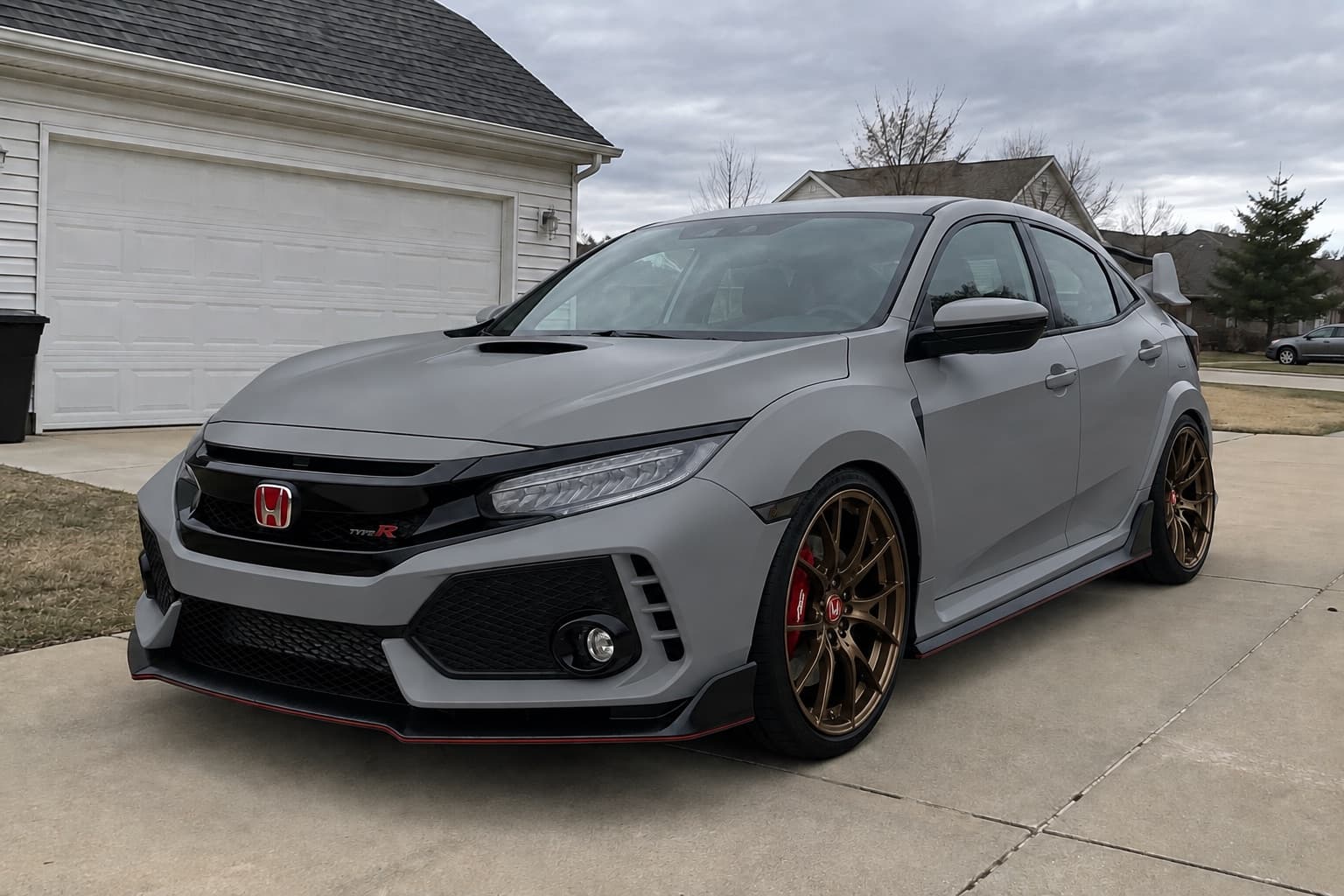
2 free credits when you sign up. No card needed.
How it works
- Step 1
Upload a photo
One clear photo of your car, ideally the whole car at a three-quarter angle in daylight.
- Step 2
Pick the mods
Choose from the options, start from a preset, or describe what you want in your own words.
- Step 3
Compare and decide
Slide between stock and built, try variations, and share the result with your mates or your fitter.
What you can try
- Your exact wheel
- Upload a product photo of any wheel and the render matches its spoke design, colour, finish and lip.
- Styles
- Mesh, multi-spoke, five-spoke, deep dish, monoblock and off-road designs.
- Finishes
- Bronze, gunmetal, gloss black, silver, polished lips and two-tone.
- Size and fitment
- Go up in diameter and preview a flush or tucked look with the stance options.
- Tyres
- Low-profile, stretched or chunky all-terrain sidewalls.
- Precision pass
- A second, zoomed-in pass redraws each wheel for accurate spokes. Worth it for close-ups.
Tips for a good preview
- Use a photo where the wheels are large in the frame. A side or three-quarter shot works best.
- When you upload a wheel, pick a clean product shot facing straight on.
- Check the free fitment guide for your car before buying: the preview shows the look, the guide shows what fits.
A preview shows the look, not whether parts physically fit. Check your car's wheel fitment guide and the free wheel and tyre tools before you buy.
Read before you buy
- How to choose wheels that suit your car's styleCompare JDM, Euro, OEM+, stance, track, overland and VIP wheel styles using proportion, finish and practical requirements rather than copying a parts list.
- Wheel offset explained: choosing ET without guessingUnderstand positive and negative wheel offset, calculate inner clearance and outer position, and choose an ET using measurements from your own car.
- Forged vs flow-formed vs cast wheels: what you are buyingCompare wheel manufacturing methods without the marketing shortcuts. Understand strength, stiffness, weight, testing and how to compare exact part numbers.
More ways to preview your car
Questions
Can I see a specific wheel on my car?
Yes. Upload a photo of the wheel you want and BuildMyWhip fits that design to your car, matching the spokes, colour and lip.
Does the preview check that the wheels fit?
No. It shows the look, not clearances. Use the fitment guide for your car and the offset calculator to check width, offset and bolt pattern, then confirm with your fitter.
Why are some spokes slightly off?
Wheels are small in most photos. Use the precision pass, a photo where the wheels are bigger in the frame, or Pro renders for the most accurate spokes.
Is it free?
You get 2 free credits when you sign up. Plans start at £9.99 a month for 200 credits.
More ways to preview your build
- Car customizerCustomize your actual car online. Upload a photo and preview new wheels, paint, wraps, stance, body kits and lights on it before you buy anything.
- Lowered car simulatorSee how your car would look lowered before buying springs, coilovers or air. Preview a mild drop, a flush stance or fully slammed on your own photo.
- Car paint visualizerPreview a new paint colour on a photo of your own car. Try Nardo grey, satin black, Miami blue and more before you book a respray or wrap.
- Lift kit visualizerPreview a lift kit, bigger all-terrain tyres and off-road wheels on a photo of your truck or 4x4. Try overland, prerunner and safari builds.