AI car modification built for car people
General AI image tools tend to change your whole car. BuildMyWhip is made for mods: upload one clear photo of your car, choose the mods, and buildmywhip renders them onto your photo in about half a minute. it's your car, in your driveway, at your angle. It keeps your car as it is and changes only what you choose.
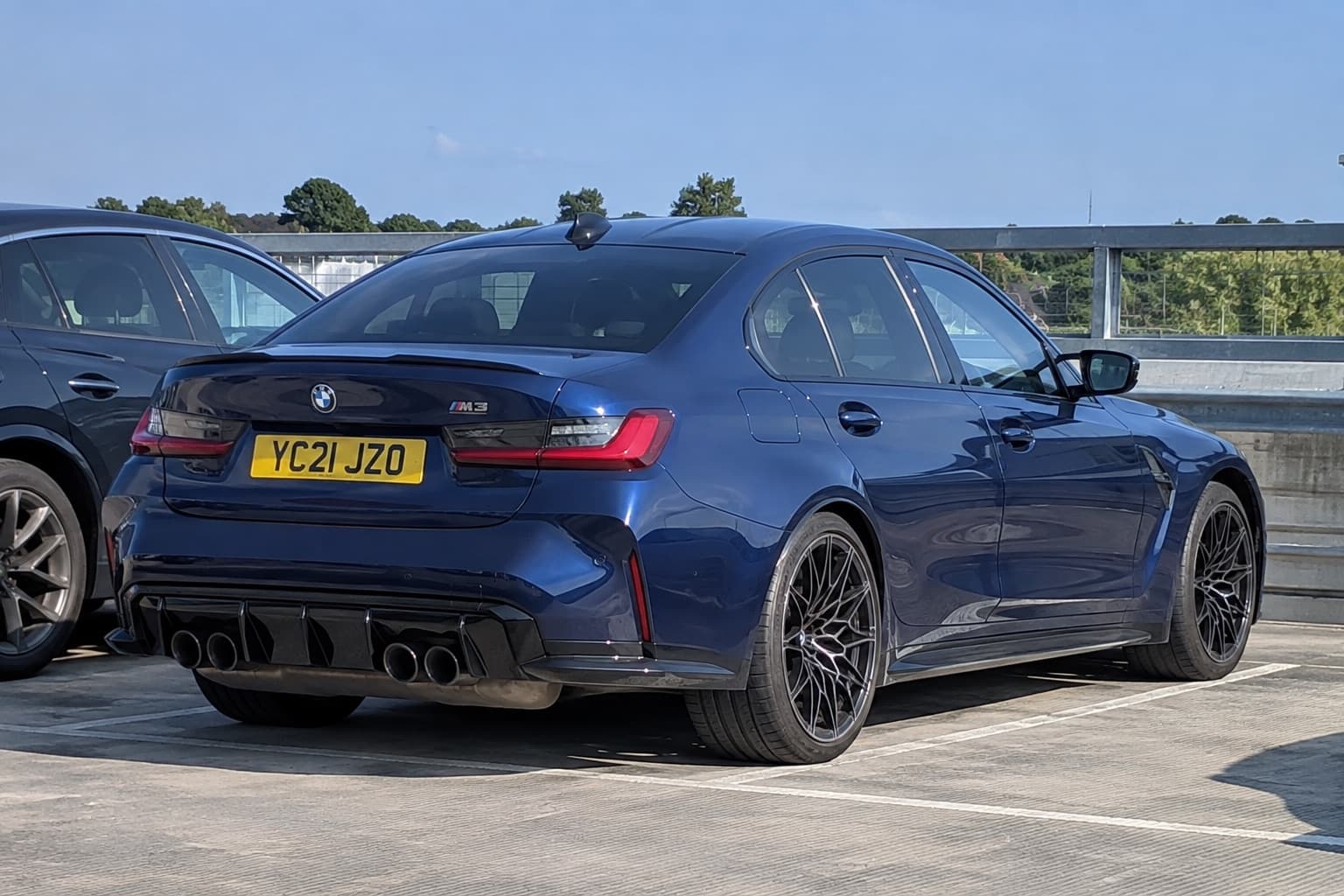
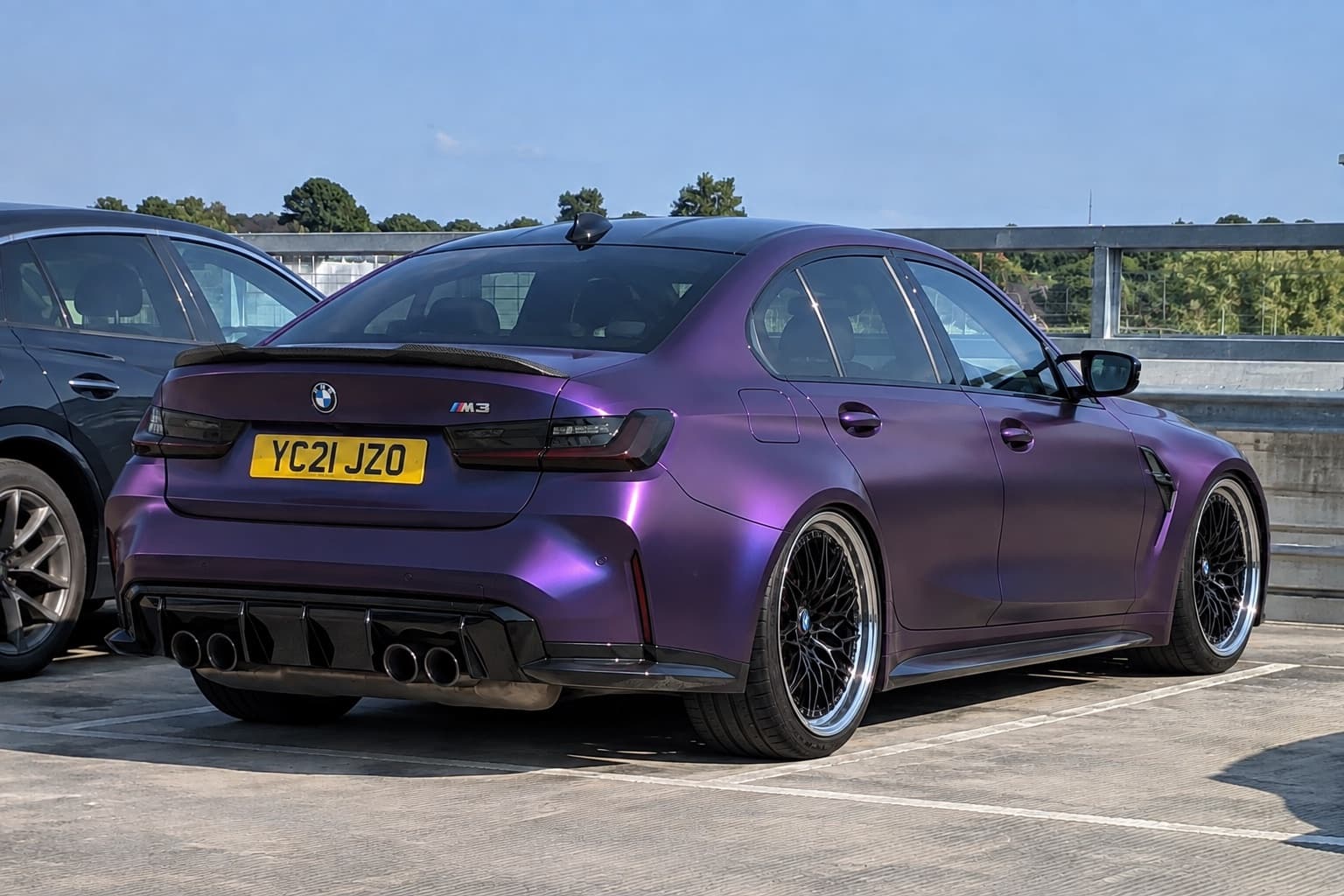
2 free credits when you sign up. No card needed.
How it works
- Step 1
Upload a photo
One clear photo of your car, ideally the whole car at a three-quarter angle in daylight.
- Step 2
Pick the mods
Choose from the options, start from a preset, or describe what you want in your own words.
- Step 3
Compare and decide
Slide between stock and built, try variations, and share the result with your mates or your fitter.
What you can try
- Keeps your car
- Shape, colour, plates and background stay; only your chosen mods change.
- Real-part references
- Upload a photo of the exact wheel, kit or part you want to see.
- Accurate wheels
- A zoomed precision pass redraws each wheel so spokes look right.
- Several angles
- Render the same build on front, side and rear photos so they match.
- Compare and share
- Slide between versions, save builds and share a before/after link.
- Build reel
- Turn a build into a vertical reel that stacks each mod on, cut to the beat for Reels, TikTok and Shorts.
Tips for a good preview
- Start from a preset (JDM, Euro, Overland, Stealth and more), then tweak.
- Each render is a preview: use the fitment guides and tools to check what really fits.
A preview shows the look, not whether parts physically fit. Check your car's wheel fitment guide and the free wheel and tyre tools before you buy.
Read before you buy
- How to preview car mods before you buy themAvoid expensive regrets: how to see wheels, colours, wraps and stance on your own car before spending, and how to check the parts will actually fit.
- How to plan a car build on a budget without buying parts twiceBuild a realistic modification budget around maintenance, tyres, fitting, alignment and insurance, with a worked £3,000 plan and a sensible order of work.
- How to choose wheels that suit your car's styleCompare JDM, Euro, OEM+, stance, track, overland and VIP wheel styles using proportion, finish and practical requirements rather than copying a parts list.
More ways to preview your car
Questions
How is this different from ChatGPT or other AI image tools?
It's built for car mods: it keeps your car unchanged, fits exact parts from reference photos, checks the wheels and keeps several angles consistent.
How long does a render take?
About 20 to 60 seconds depending on the mode and how many variants you ask for.
What happens to my photos?
Your garage stays in your browser. We keep troubleshooting copies for 30 days, then delete them. See the privacy policy for details.
Is there a free trial?
Yes. New accounts get 2 free credits, no card needed.
More ways to preview your build
- Car customizerCustomize your actual car online. Upload a photo and preview new wheels, paint, wraps, stance, body kits and lights on it before you buy anything.
- Wheel visualizerSee how new wheels look on your car before you buy. Upload a photo, pick a wheel style or upload a picture of the exact wheel, and preview it on your car.
- Car wrap visualizerSee a vinyl wrap on a photo of your car before you book it. Satin, matte, gloss and colour-shift wraps, plus de-chrome and accent pieces.
- Body kit visualizerPreview body kits, wide arches, splitters, side skirts, diffusers and spoilers on a photo of your own car before you buy.