Try a new colour on your car before the respray
A respray costs thousands and a wrap costs hundreds. Upload one clear photo of your car, choose the mods, and BuildMyWhip renders them onto your photo in about half a minute. It's your car, in your driveway, at your angle. Try as many colours as you like on the same photo and keep the ones you love.
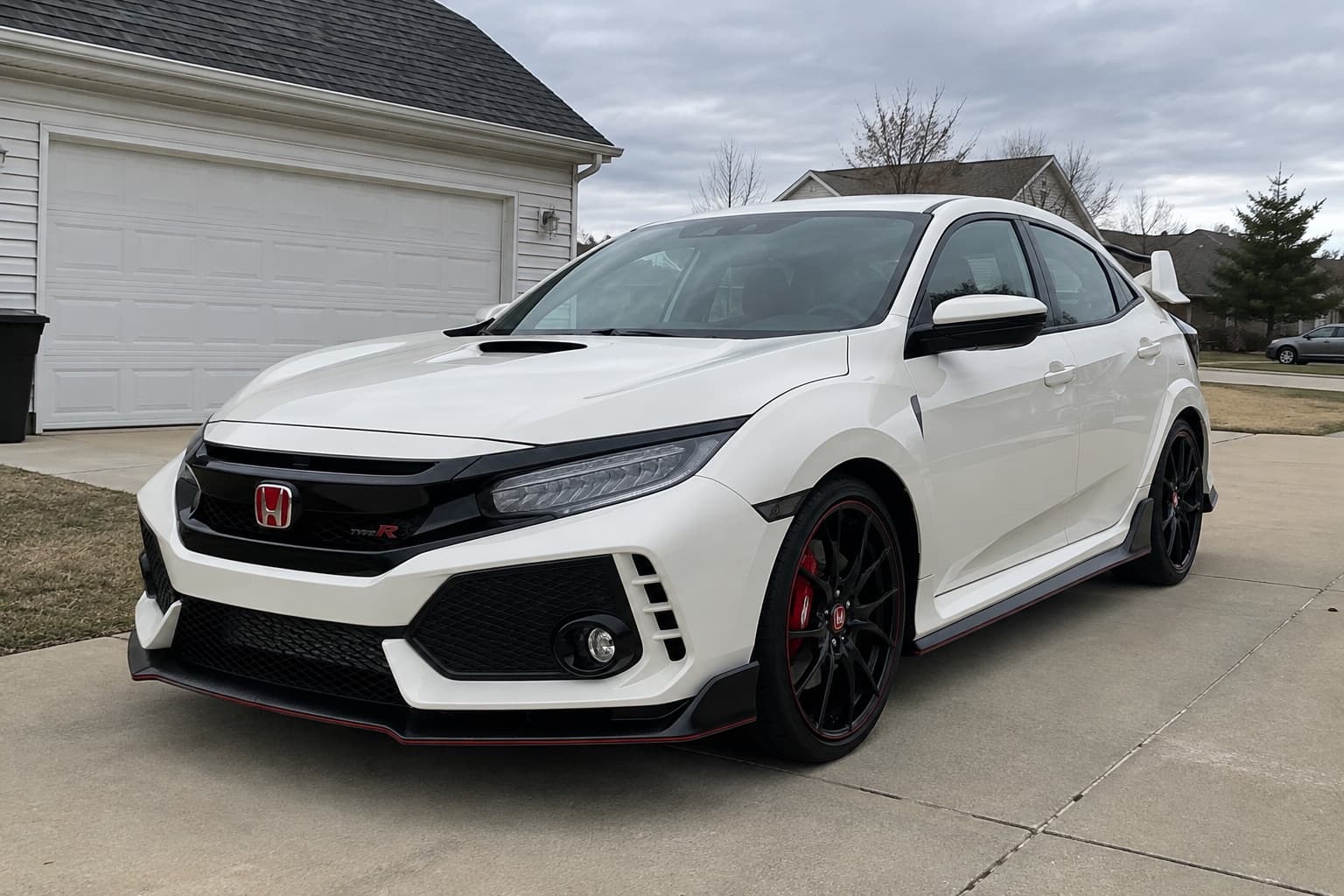
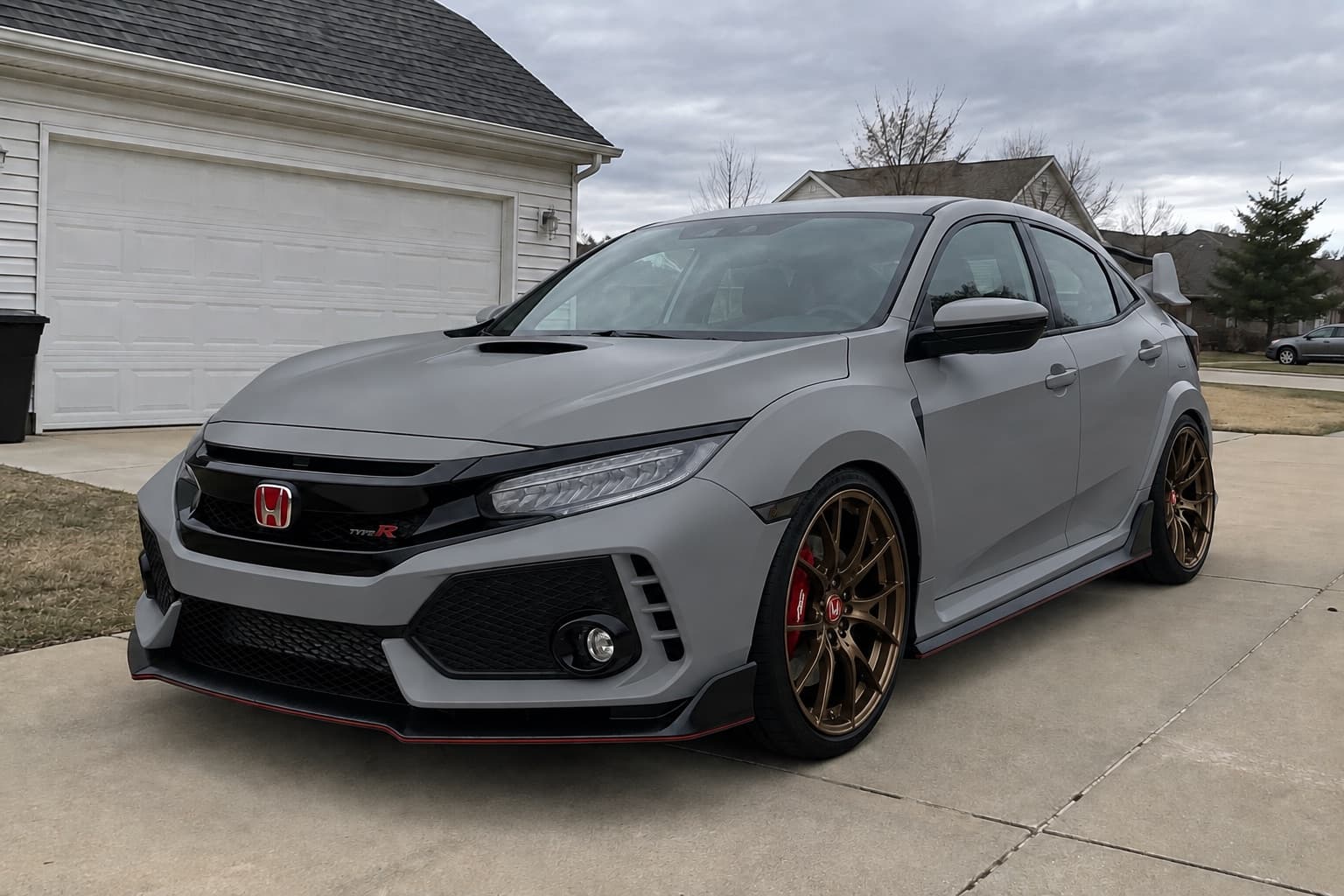
2 free credits when you sign up. No card needed.
How it works
- Step 1
Upload a photo
One clear photo of your car, ideally the whole car at a three-quarter angle in daylight.
- Step 2
Pick the mods
Choose from the options, start from a preset, or describe what you want in your own words.
- Step 3
Compare and decide
Slide between stock and built, try variations, and share the result with your mates or your fitter.
What you can try
- Greys and whites
- Nardo, cement, chalk, pearl white, liquid silver.
- Blacks
- Jet, obsidian, satin black.
- Blues and greens
- Miami, bayside, Le Mans, petrol, British racing green.
- Reds and oranges
- Candy red, rosso, burgundy, sunset orange.
- Finishes
- Gloss, satin and matte, or a colour-shift flip.
- Trim
- Black out badges, grilles and chrome to suit the new colour.
Tips for a good preview
- Photos in soft daylight show colour most accurately. Harsh sun or night shots shift the tone.
- Compare two or three shades side by side before deciding.
- Paint samples still matter: screens vary, so check a real panel or swatch before you commit.
A preview shows the look, not whether parts physically fit. Check your car's wheel fitment guide and the free wheel and tyre tools before you buy.
Read before you buy
- How to preview car mods before you buy themAvoid expensive regrets: how to see wheels, colours, wraps and stance on your own car before spending, and how to check the parts will actually fit.
- UK car insurance: declaring wheels, wraps and other modificationsPrepare a clear modification list for your UK insurer, check acceptance and replacement cover separately, and understand why undeclared-change outcomes vary.
More ways to preview your car
Questions
How accurate are the colours?
Close enough to choose between shades, but screens and lighting vary. Treat it as a shortlist and check a real swatch before painting.
Can I try a wrap instead of paint?
Yes. Wraps, including satin, matte and colour-shift films, are in the same Paint and wrap options. See the car wrap visualizer for more.
Will it change my wheels or anything else?
Only what you pick. Choose just a colour and everything else stays as it is in your photo.
More ways to preview your build
- Car wrap visualizerSee a vinyl wrap on a photo of your car before you book it. Satin, matte, gloss and colour-shift wraps, plus de-chrome and accent pieces.
- Car customizerCustomize your actual car online. Upload a photo and preview new wheels, paint, wraps, stance, body kits and lights on it before you buy anything.
- Window tint visualizerSee how window tint looks on your car before you book it. Preview light, medium and limo tint on a photo of your own car.
- Wheel visualizerSee how new wheels look on your car before you buy. Upload a photo, pick a wheel style or upload a picture of the exact wheel, and preview it on your car.