Customize your own car, not a 3D model
Most car customizers make you build a generic 3D car. Upload one clear photo of your car, choose the mods, and BuildMyWhip renders them onto your photo in about half a minute. It's your car, in your driveway, at your angle. Try a whole build at once or one change at a time, then compare versions side by side.
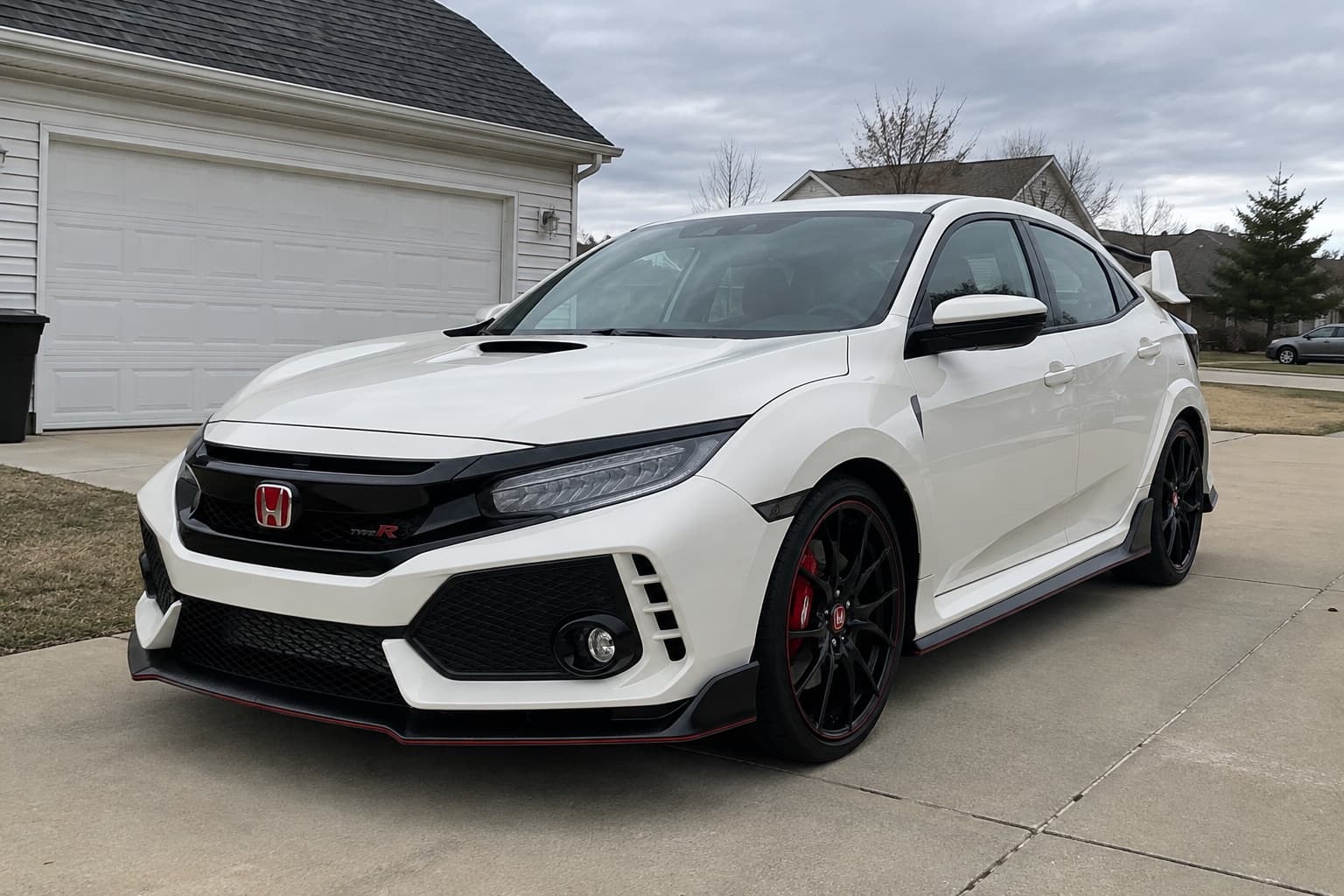
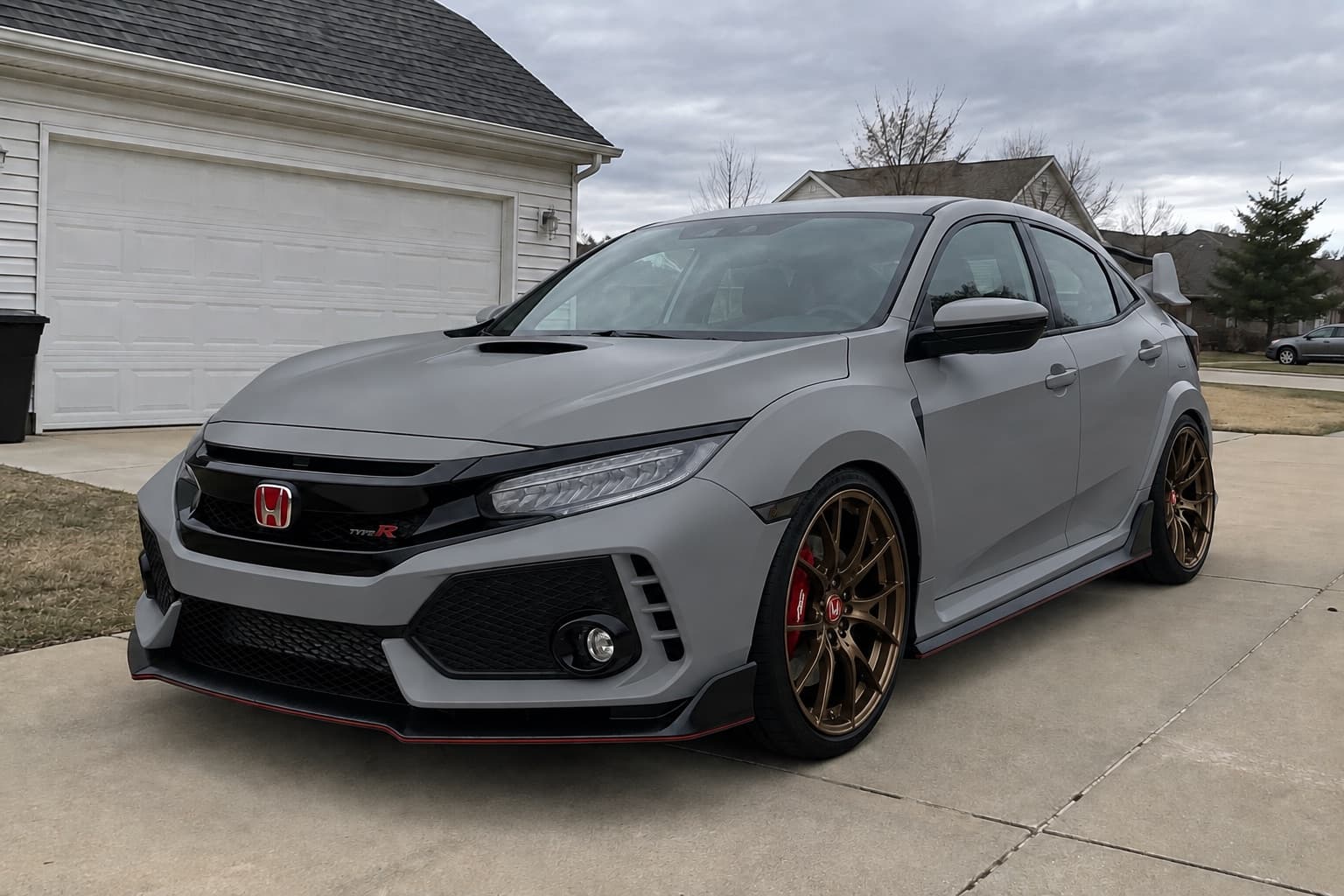
2 free credits when you sign up. No card needed.
How it works
- Step 1
Upload a photo
One clear photo of your car, ideally the whole car at a three-quarter angle in daylight.
- Step 2
Pick the mods
Choose from the options, start from a preset, or describe what you want in your own words.
- Step 3
Compare and decide
Slide between stock and built, try variations, and share the result with your mates or your fitter.
What you can try
- Wheels and tyres
- Pick a style and finish or upload a photo of the exact wheel you want.
- Paint and wraps
- Gloss, satin, matte and colour-shift finishes, from Nardo grey to chameleon.
- Stance
- Lowered, slammed or lifted, with the wheels sitting where they would.
- Body kits and spoilers
- Splitters, skirts, wide arches, ducktails and wings.
- Lights, tint and details
- Smoked lights, window tint, de-badging, calipers and more.
- Background
- Put the finished build somewhere better than the supermarket car park.
Tips for a good preview
- Shoot the whole car from a front or rear three-quarter angle, at car height, in daylight.
- Change a few things per render. Big builds work, but small steps make it easier to judge each mod.
- Render the same build on more than one angle to see it from all sides.
A preview shows the look, not whether parts physically fit. Check your car's wheel fitment guide and the free wheel and tyre tools before you buy.
Read before you buy
- How to preview car mods before you buy themAvoid expensive regrets: how to see wheels, colours, wraps and stance on your own car before spending, and how to check the parts will actually fit.
- How to choose wheels that suit your car's styleCompare JDM, Euro, OEM+, stance, track, overland and VIP wheel styles using proportion, finish and practical requirements rather than copying a parts list.
- How to plan a car build on a budget without buying parts twiceBuild a realistic modification budget around maintenance, tyres, fitting, alignment and insurance, with a worked £3,000 plan and a sensible order of work.
More ways to preview your car
Questions
Is there a free car customizer that works on my own photo?
Yes. New accounts get 2 free credits, enough for your first render on your own car. No card needed.
Will it keep my car looking like my car?
That's the point of it. The render keeps your car's shape, colour and setting and only changes the parts you pick. If something comes back wrong, report it within 24 hours for your credits back.
Does it work for any car?
It works from a photo, so any car, truck or van works. Popular models also have free wheel fitment guides on the site.
Is this the same as 3DTuning?
No. 3D configurators use a generic model of your car type. BuildMyWhip edits a photo of your actual car, so the colour, condition and surroundings are yours.
More ways to preview your build
- Wheel visualizerSee how new wheels look on your car before you buy. Upload a photo, pick a wheel style or upload a picture of the exact wheel, and preview it on your car.
- Car wrap visualizerSee a vinyl wrap on a photo of your car before you book it. Satin, matte, gloss and colour-shift wraps, plus de-chrome and accent pieces.
- Lowered car simulatorSee how your car would look lowered before buying springs, coilovers or air. Preview a mild drop, a flush stance or fully slammed on your own photo.
- AI car modificationAI car modification on your own photo: new wheels, wraps, stance, kits and lights in seconds. Built for car people, with free wheel fitment guides.